$39 | Individual instructor license | 12 editable files
Before students judge your course, they read your syllabus.
Your syllabus is more than a list of policies. It is a student's first guide to how your course works, where to find help, what is expected, and whether the information is usable with assistive technology.
A confusing or inaccessible syllabus can create avoidable questions, missed expectations, barriers for students with disabilities, and a poor first impression. Accessibility concerns can also create institutional risk. Buying a template is not a legal safeguard; thoughtfully preparing and testing your course materials is what matters.
Make those checks before the term starts—not after a student encounters a barrier.
Why this toolkit is different
This isn't a generic blank syllabus. It was developed with attention to the user experience of dozens of syllabi from leading universities and informed by accessibility guidance, including Revised Section 508, the current WCAG 2.2 standard, and W3C WCAG2ICT guidance for non-web documents.
It is built to help you assemble a course syllabus that is clear, navigable, and easier to maintain—without rebuilding the structure from scratch each semester.
What your $39 purchase includes
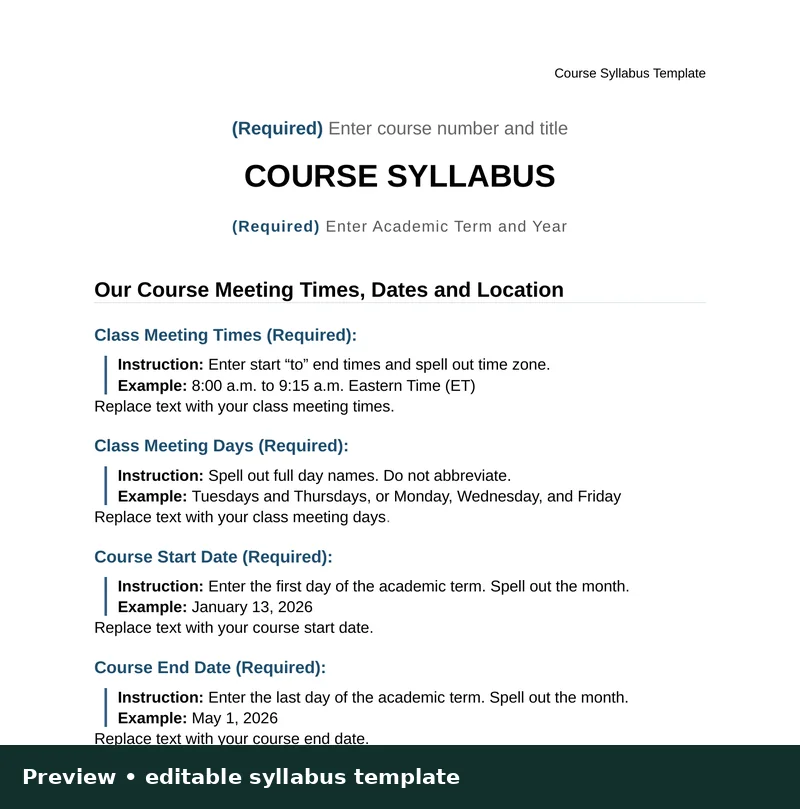
- Editable Word syllabus template with real heading and table structure
- Accessibility features explained, with current standards guidance
- Quick-start guide
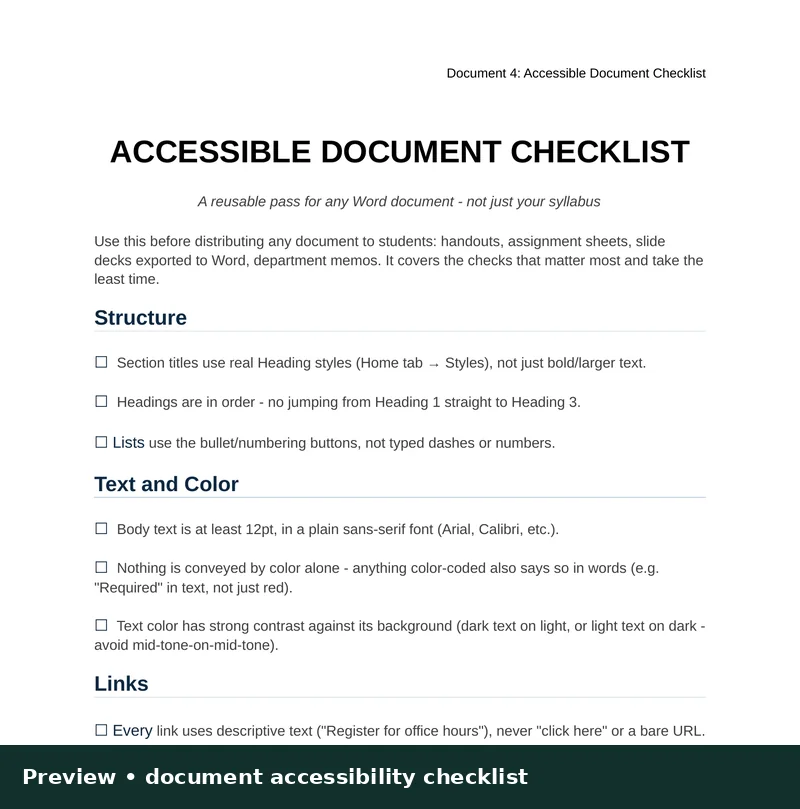
- Reusable accessibility checklist
- Policy language options
- Student email template pack
- Meet Your Professor template
- Editable first-day PowerPoint deck
- Individual-use license
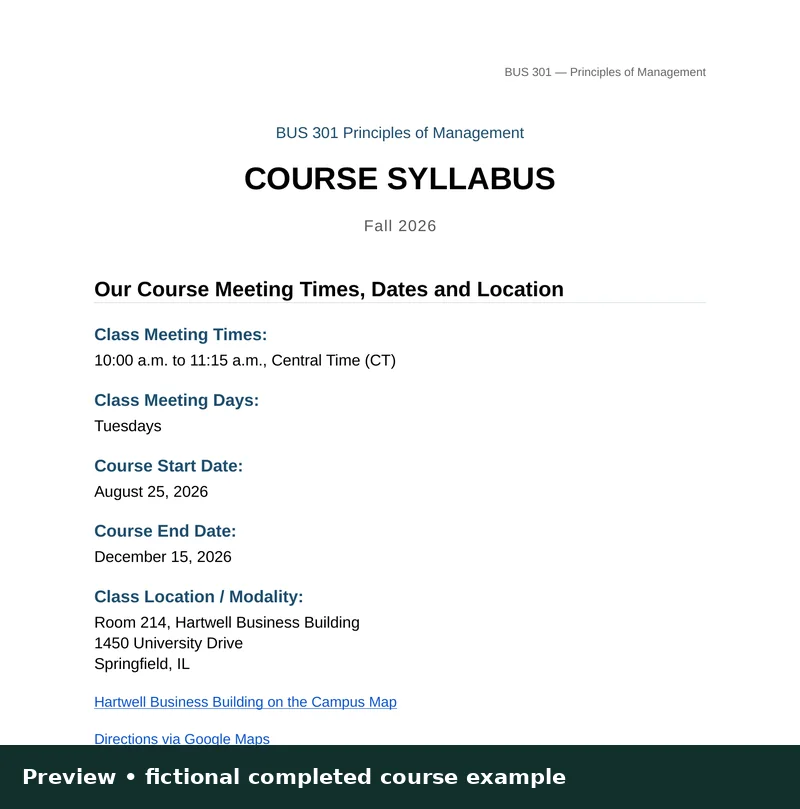
- Three completed syllabus examples: in-person, seminar, and online
12 editable files. Instant digital delivery after purchase.
What you can prevent or improve
- Avoid confusion: Make grading, deadlines, communication and course policies easier to locate.
- Improve the first impression: Present the course with clear organization and consistent information.
- Reduce accessibility barriers: Preserve real document structure, labeled links, readable formatting and other accessibility-informed practices.
- Save preparation time: Adapt an established structure instead of starting from a blank document.
- Re-use your work: Update the syllabus each term while keeping the structure consistent.
What this product does—and does not—promise
WCAG 2.2 is the current stable W3C recommendation. Because Word documents are non-web documents, W3C's WCAG2ICT guidance helps interpret applicable criteria. Revised Section 508 incorporates WCAG 2.0 A/AA, and the DOJ Title II web rule cites WCAG 2.1 AA.
The toolkit is accessibility-informed, not a legal certification or guarantee of WCAG 2.2 AA conformance. Institutions and instructors remain responsible for final content, accessibility checks, accommodations and compliance with their policies. Run your document accessibility checker and test the finished file, particularly after exporting to PDF or publishing through an LMS.
Get the Faculty Accessibility Syllabus Toolkit — $39
Sources for standards context: